Eight tracks
Rhythms as rings: hits and steps, turn, swing, triplets, repeats per hit, a chance for every hit, and hits you lock in place.
A granular groovebox
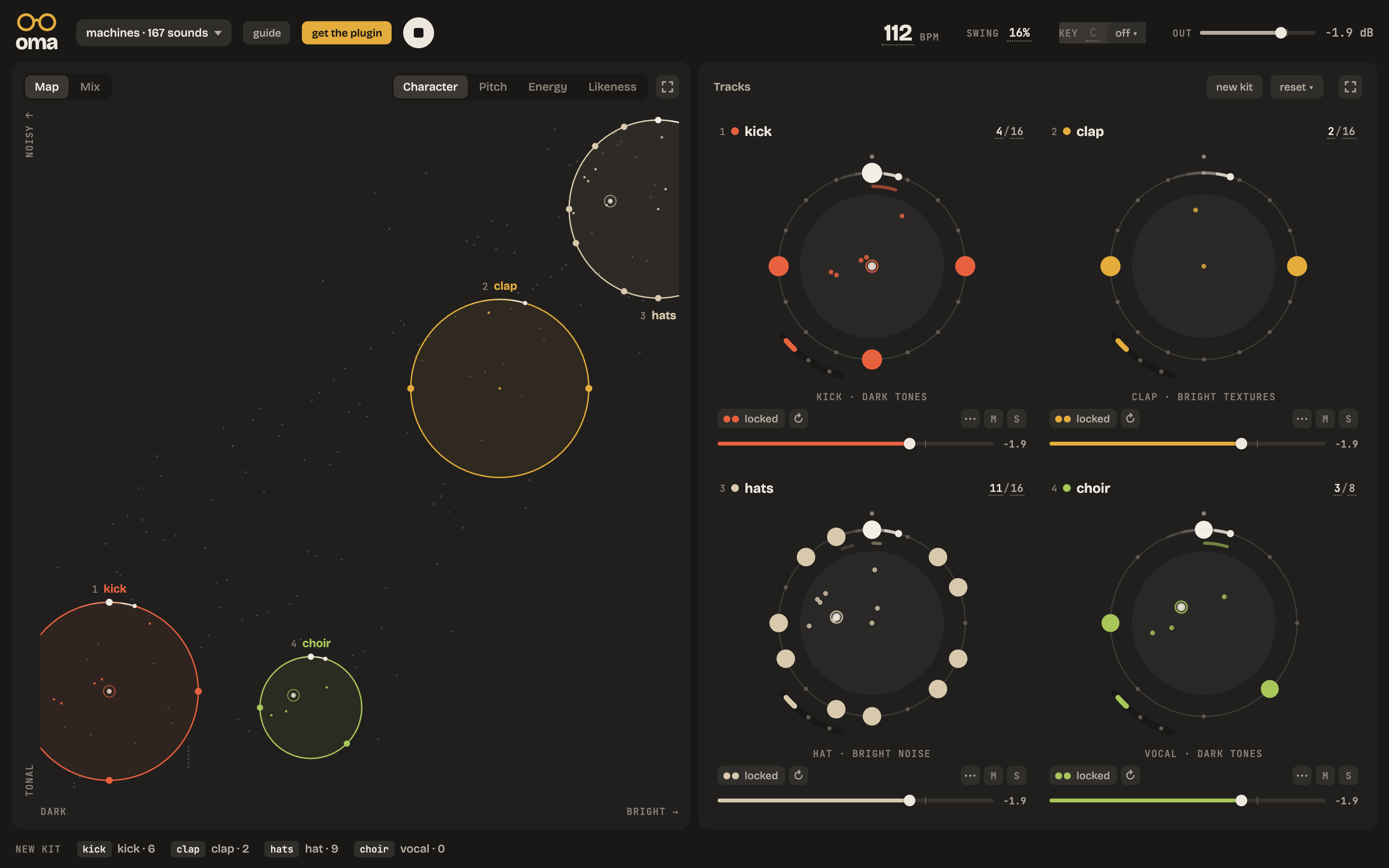
Oma listens to every sound in your library and places it on a map: dark to bright, tonal to noisy. Put a track on the map and it plays from the sounds under its circle. Move the circle, and the groove changes.
Oma goes through your sample folder once, cuts every file into short sounds and sorts them by how they sound. It learns what they are, too: kicks, snares, hats, voices, textures.
Each track has a circle on the map and plays the sounds inside it, a different one on every hit. Drag the circle somewhere else and the track finds a new voice.
Every track’s rhythm is a ring: how many hits, over how many steps, how sure each one is. Then pitch, envelope, two modulators and four effect slots per track.
Rhythms as rings: hits and steps, turn, swing, triplets, repeats per hit, a chance for every hit, and hits you lock in place.
Oma indexes thousands of files in the background, and makes new maps from all of them. Stop it any time, carry on later.
Filter, drive, chorus, crush, pitch shift, resonator, formant, freeze, tape, spiral, a vocoder and more, four per track. Delay, reverb and duck on the master.
Two modulators per track move any control, step by step: the circle’s place, the pitch, an effect.
AU, AUv3 and VST3, in time with your host. Or on its own, as an app.
No account, no subscription, nothing to unlock.
The playground is Oma in your browser: four tracks, three free kits and a short guide. Nothing is saved, nothing is sent anywhere.
Free
AU, AUv3 and VST3 plugins and a standalone app.
Coming soon